





Everything You Need to Know about Creality Falcon T1

Quick Answer:
The Creality Falcon T1 is a high-end 5-in-1 laser workstation released on May 29, 2026.
It supports 20W Diode, 40W Diode, 20W Fiber, 5W UV, and 60W MOPA laser modules for engraving, cutting, metal marking, colour marking, and fine-detail work.
Its regular price starts at €2.699,00 in the EU for the 20W Diode version.
What Is the Creality Falcon T1
1. A 5-in-1 Laser Workstation
Creality Falcon T1 is positioned as a 5-in-1 laser workstation rather than a standard single-source desktop laser engraver.
It is designed to switch between diode, fiber, UV, and MOPA laser workflows, so users can handle wood cutting, acrylic cutting, metal marking, colour engraving, glass engraving, crystal detail, and other multi-material projects from one compact machine platform.

2. Who the Falcon T1 Is Built For
The Falcon T1 is best suited for professional creators, small business owners, jewellery and accessory sellers, product customisation shops, prototyping users, and studios that work across several material types.
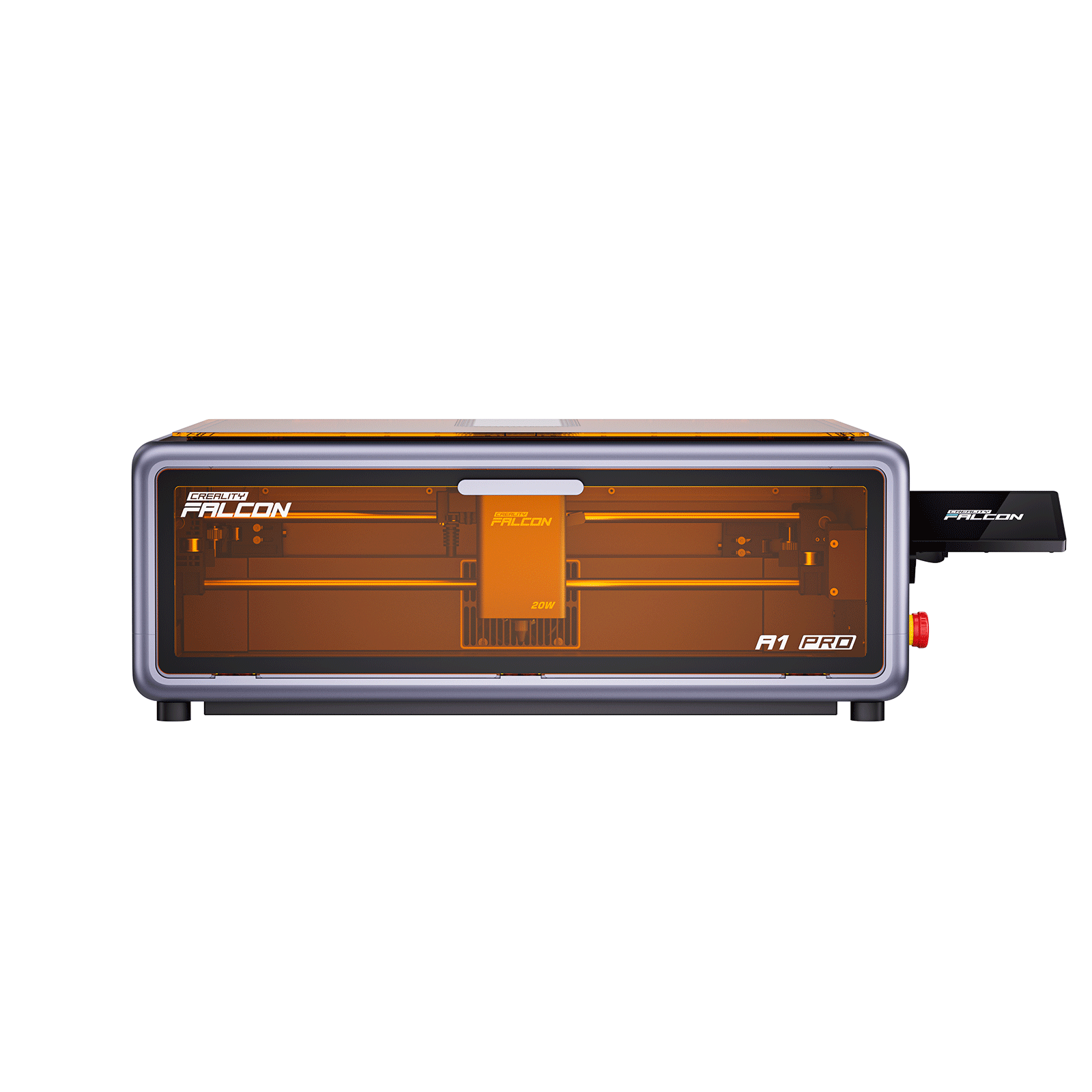
It is not the default first machine for every beginner. If you are mainly making simple wood crafts, paper projects, leather gifts, or basic acrylic designs, an enclosed diode laser such as Creality Falcon A1 or Creality Falcon A1 Pro is usually the more practical starting point. The Falcon T1 makes more sense when metal, glass, UV, MOPA, and batch production workflows are part of your plan.
Creality Falcon T1 Release Date and Availability
1. Official Release Date
The Creality Falcon T1 was officially released on May 29, 2026. Its launch focused on the idea of one workstation replacing multiple laser tools for professional multi-process use.
2. Regional Product Pages
Creality Falcon T1 is listed across the US, Canada, Australia, EU, Germany, and UK official stores.
Product pricing, tax treatment, shipping policy, stock, and available module options can vary by region, so users should check the relevant official regional product page before purchase.
Creality Falcon T1 Price by Region
1. Regular Price for Each T1 Version
| Region | 20W Diode | 20W Fiber | 40W Diode | 5W UV | 60W MOPA |
|---|---|---|---|---|---|
| US | $2,499.00 | $2,699.00 | $2,999.00 | $3,999.00 | $4,999.00 |
| CA | $3,569.00 | $3,859.00 | $4,289.00 | $7,139.00 | $5,709.00 |
| AU | A$4,349.00 | A$4,699.00 | A$5,219.00 | A$6,959.00 | A$8,689.00 |
| EU | €2.699,00 | €2.919,00 | €3.239,00 | €4.319,00 | €5.399,00 |
| DE | €2.699,00 | €2.919,00 | €3.239,00 | €4.319,00 | €5.399,00 |
| UK | £2,399.00 | £2,589.00 | £2,819.00 | £3,749.00 | £4,599.00 |
2. Early Bird 10% OFF Launch Offer
Creality Falcon T1 launched with an Early Bird 10% OFF offer planned from May 29, 2026 to June 29, 2026. This is a limited-time launch promotion, so long-term product content should use the regular regional prices as the main reference and mention promotional pricing only when the offer is active or specifically relevant.
Creality Falcon T1 Laser Modules Explained

1. 20W Diode for General Engraving and Cutting
The 20W Diode module is the general-purpose option for common creative materials such as wood, acrylic, PU leather, MDF, bamboo, coated metals, dark glass, and ceramics. It is the most accessible T1 configuration for users who want a flexible starting point without immediately moving into the higher-cost UV or MOPA versions.
2. 40W Diode for Higher-Power Cutting
The 40W Diode module is aimed at users who need more cutting headroom for wood and non-transparent acrylic. According to official page claims, it can cut up to 12 mm basswood and 10 mm non-transparent acrylic under suitable conditions. Actual results still depend on material quality, focus, settings, airflow, and test cuts.
3. 20W Fiber for Metal Marking
The 20W Fiber module is built for metal marking and engraving workflows. It is relevant for stainless steel, titanium alloy, gold, silver, brass, copper, iron, aluminium, selected plastics, and other compatible surfaces. This module makes T1 more useful for jewellery sellers, metal tag makers, serial-number marking, logos, and professional product customisation.
4. 60W MOPA for Professional Colour Marking
The 60W MOPA module is the more advanced metal-focused option, especially for deeper metal work and colour marking. It is the version to consider when the user’s main workflow involves professional metal engraving, stainless steel colour effects, higher-volume marking, or premium custom metal products.
5. 5W UV for Glass, Crystal, and Fine Detail
The 5W UV module is designed for fine-detail, cold-laser style engraving on materials such as acrylic, plastic, glass, ceramics, crystal, PU leather, and cardboard. It is especially important for users interested in transparent materials, crystal-style internal engraving, delicate textures, and surface work where heat impact should be reduced.
Creality Falcon T1 Performance and Working Area
1. Working Area and Conveyor Expansion
The Falcon T1 has a 175 x 175 mm standard working area. With the conveyor workflow, the expanded working area reaches 175 x 850 mm, which is more useful for longer pieces, repeated objects, or continuous batch production. Its internal engraving area is listed as 70 x 70 mm, and the product dimensions are 464 x 312 x 509 mm.
2. Speed and Precision Claims
The official specifications list a maximum working speed of 10000 mm/s, processing accuracy of ≤ 0.01 mm, and positioning accuracy of ±0.01 mm.
The 0.001 mm claim should be handled carefully because it refers to galvanometer displacement accuracy under the F130 field lens, not a universal accuracy result for every material or workflow.

Is the Creality Falcon T1 Safe to Use Indoors
1. Class 1 Enclosed Safety Design
Creality Falcon T1 is positioned with a Class 1 enclosed safety design. Its safety system includes an enclosed cover, lid-open stop, waste tray safety stop, emergency stop button, laser key lock, temperature monitoring, smoke monitoring, material or document monitoring, and dual dynamic flame detection.
2. Safety Caveat for Conveyor and Rotary Modes
The safety message needs one important caveat. In open-cover workflows such as conveyor belt mode and rotary mode, the official page notes that the product is not Class 1 compliant and personal protective equipment is required.
Creality Falcon T1 Software and AI Workflow
1. Falcon Design Space and LightBurn Support
The official specifications list Falcon Design Space and LightBurn support, with GRBL also mentioned in page messaging. Falcon Design Space is positioned as the main software environment for setup, design import, AI tools, camera positioning, and connected workflows. LightBurn compatibility should be verified for exact module and workflow scope before making detailed claims.
2. Camera, Autofocus, and Calibration
T1 includes smart camera features for instant preview and positioning, quick calibration, autofocus, and automatic recalibration after module replacement. The value is not just speed; it is reducing alignment friction across different materials and workflows.
Creality Falcon T1 vs Other Creality Falcon Laser Engravers
1. T1 vs Creality Falcon A1 Pro
Creality Falcon A1 Pro is better for compact home use, beginner-to-advanced creative work, and mixed non-metal projects with selected IR marking workflows.
Creality Falcon T1 is the better fit when the user needs a professional multi-module system with fiber, UV, and MOPA options. In simple terms, A1 Pro is a strong enclosed desktop creator machine; T1 is a higher-end multi-process workstation.
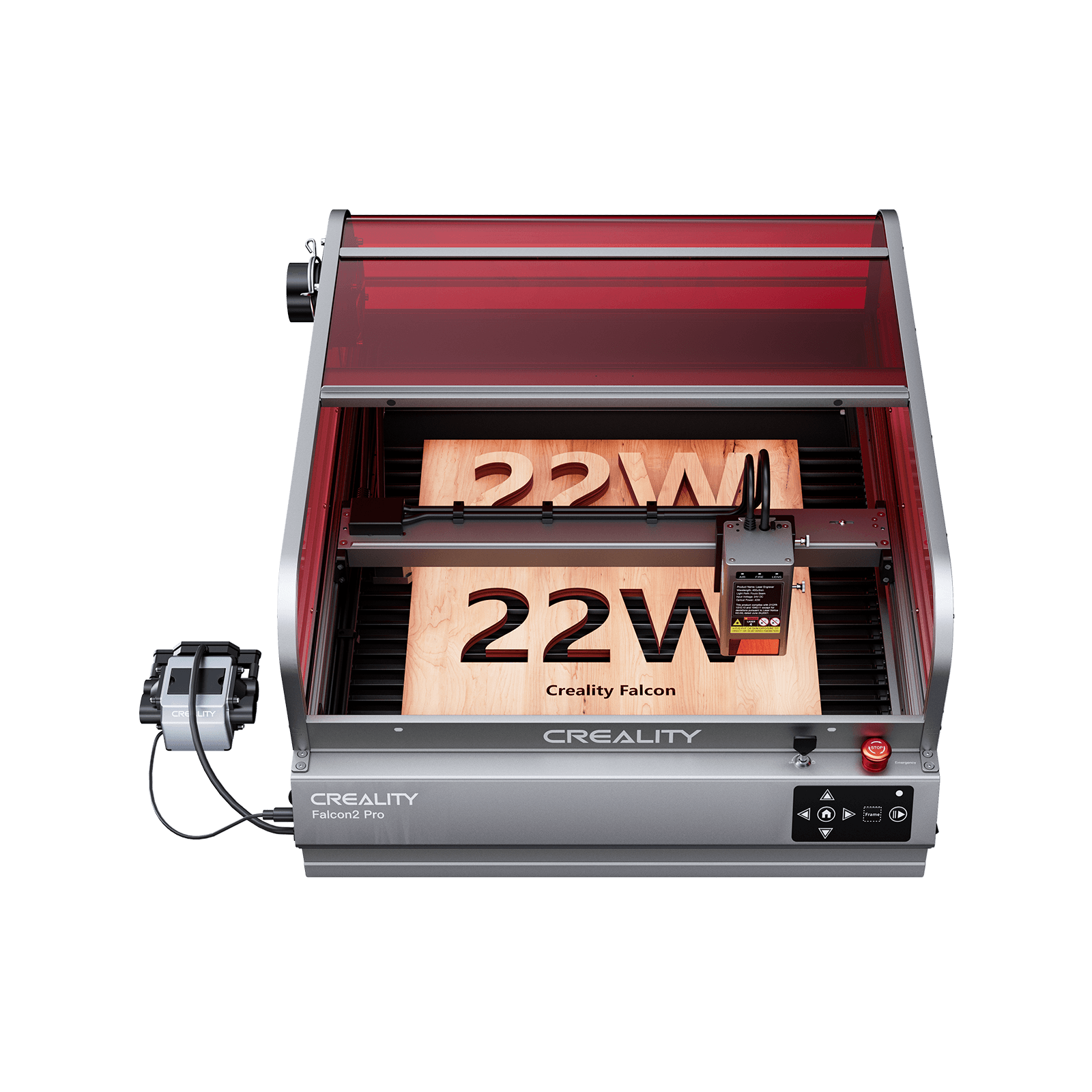
2. T1 vs Creality Falcon2 Pro
Creality Falcon2 Pro is stronger for larger-format diode laser cutting and workshop-style projects where bed size and cutting headroom matter.
Creality Falcon T1 is stronger when the workflow requires metal marking, UV detail, colour marking, internal engraving, and module switching. The right choice depends less on which machine sounds more powerful and more on the materials the user actually plans to process.
Creality Falcon T1 FAQ
1. Is the Creality Falcon T1 a laser engraver?
Yes. The Creality Falcon T1 is a laser engraver, but it is more accurately described as a 5-in-1 laser workstation because it supports diode, fiber, UV, and MOPA laser modules for different engraving, cutting, and marking workflows.
2. What is the regular price of the Creality Falcon T1?
The regular price of the Creality Falcon T1 starts at €2.699,00 in the EU for the 20W Diode version. Regional starting prices include $2,499.00 in the US, $3,569.00 in Canada, A$4,349.00 in Australia, €2.699,00 in Germany, and £2,399.00 in the UK.
3. When was the Creality Falcon T1 released?
The Creality Falcon T1 was officially released on May 29, 2026.
4. Can the Falcon T1 engrave metal?
Yes. The 20W Fiber and 60W MOPA modules are the main options for metal marking, metal engraving, colour marking, logos, serial numbers, jewellery, tags, and custom metal accessories.
5. Is the Falcon T1 good for beginners?
The Falcon T1 can be used by creators who want an advanced all-in-one workflow, but it is not the default beginner recommendation. Beginners who only want basic wood, leather, paper, or acrylic projects may prefer a simpler enclosed desktop diode laser. T1 makes more sense for users who need professional multi-material capability from the start.
Conclusion
Creality Falcon T1 is best understood as a professional 5-in-1 laser workstation for users who need more than one laser type.
Its strongest value is not just higher power, but the ability to switch between diode, fiber, UV, and MOPA workflows for different materials and business needs.
If your work involves metal, glass, acrylic, wood, jewellery, gifts, prototypes, and repeatable batches, T1 is worth serious consideration.
If your projects are mostly beginner wood crafts, a simpler Falcon model may be the more practical starting point.


Lower Cost, Greater Potential
5-in-1 Laser Workstation

Recent News

Creality Falcon2 Review: Is It Worth It
Read our comprehensive Creality Falcon2 review to discover its specs, performance, pros, cons, and whether it's the right...

Creality Falcon A1 vs. A1 Pro: Key Differences Explained
In this blog, we explore the key differences between the Creality Falcon A1 and A1 Pro to help...


