





The Ultimate Guide to Choosing Your Next CO2 Laser Engraver

CO2 laser engravers are a popular choice for those seeking versatility, high-quality engraving, and cutting on non-metal materials.
With a variety of options available, understanding what makes CO2 lasers stand out and how they compare to alternatives is essential to finding the right tool for your creative or business needs.
This guide will walk you through the crucial aspects to consider when choosing a CO2 laser engraver.
Understanding CO2 Laser Engravers: The Basics
A CO2 laser engraver uses a gas mixture, primarily carbon dioxide, excited by electrical discharge to produce a high-intensity infrared light beam.
This beam, which is invisible to the human eye, is guided by precision mirrors and focused through a lens onto your material.
The engraving and cutting process works by superheating the material to vaporize, melt, or burn it, with the focal length of the lens being critical for ensuring clean, precise lines.
The key components of the system include the laser tube, mirrors, focusing lens, and gantry system, all of which play a vital role in achieving optimal results.

CO2 vs. Diode vs. Fiber: Which Laser is Right for You
When comparing CO2 lasers with diode and fiber lasers, it’s important to understand their distinct advantages and limitations.
CO2 lasers operate at a much longer wavelength, which makes them highly effective for organic materials such as wood, acrylic, leather, and glass.
They excel in delivering powerful cuts and fast engraving speeds, making them ideal for a wide range of applications.
However, they do have some drawbacks, such as being larger and more expensive than diode lasers, requiring more maintenance, and not being effective for cutting or engraving bare metals, a domain where fiber lasers excel.
For non-metal work, a CO2 laser is often the preferred choice due to its exceptional versatility and power.
Key Specifications to Look for in a CO2 Laser Engraver
When selecting a CO2 laser engraver, it's crucial to consider several key specifications:
- Laser Power (Wattage): Higher wattage increases cutting thickness and engraving speed. The appropriate wattage will depend on your material types and project requirements.
- Work Area Size: The size of the work area determines the maximum dimensions of your projects. Be sure to select a machine that accommodates your typical material sizes.
- Software Compatibility: Look for machines that work seamlessly with popular software options like LightBurn or RDWorks, offering an intuitive interface and robust features.
- Build Quality & Safety Features: Ensure that the machine is built with durability in mind and includes essential safety features, such as a reliable air assist system, a robust exhaust system, and a proper water chiller to maintain the laser tube's temperature.
What Materials Can a CO2 Laser Engrave and Cut
One of the major advantages of a CO2 laser engraver is its wide material compatibility. CO2 lasers can easily handle various materials such as:
- Wood: Plywood, MDF, and solid wood.
- Acrylic: Ideal for creating intricate cuts and engravings.
- Leather: Great for customizing accessories or fashion items.
- Paper & Fabric: Suitable for detailed designs.
- Rubber: Excellent for creating custom stamps and gaskets.

CO2 lasers can also engrave glass, stone, and ceramics, creating frosted or etched effects.
However, it’s important to note their limitations. CO2 lasers cannot effectively engrave or cut bare metals, and certain materials, such as PVC, should be avoided due to the release of toxic fumes.
Setting Up Your CO2 Laser Engraver and Getting Started
Setting up a CO2 laser engraver is relatively straightforward.
The initial steps typically involve connecting peripherals such as the exhaust fan and water chiller.
Once the physical setup is complete, software installation and basic configuration are next.
Calibration is critical, particularly focusing the laser and aligning the beam to ensure accuracy.
Once calibrated, users can begin testing with scrap material to refine their settings before launching into full-scale production.
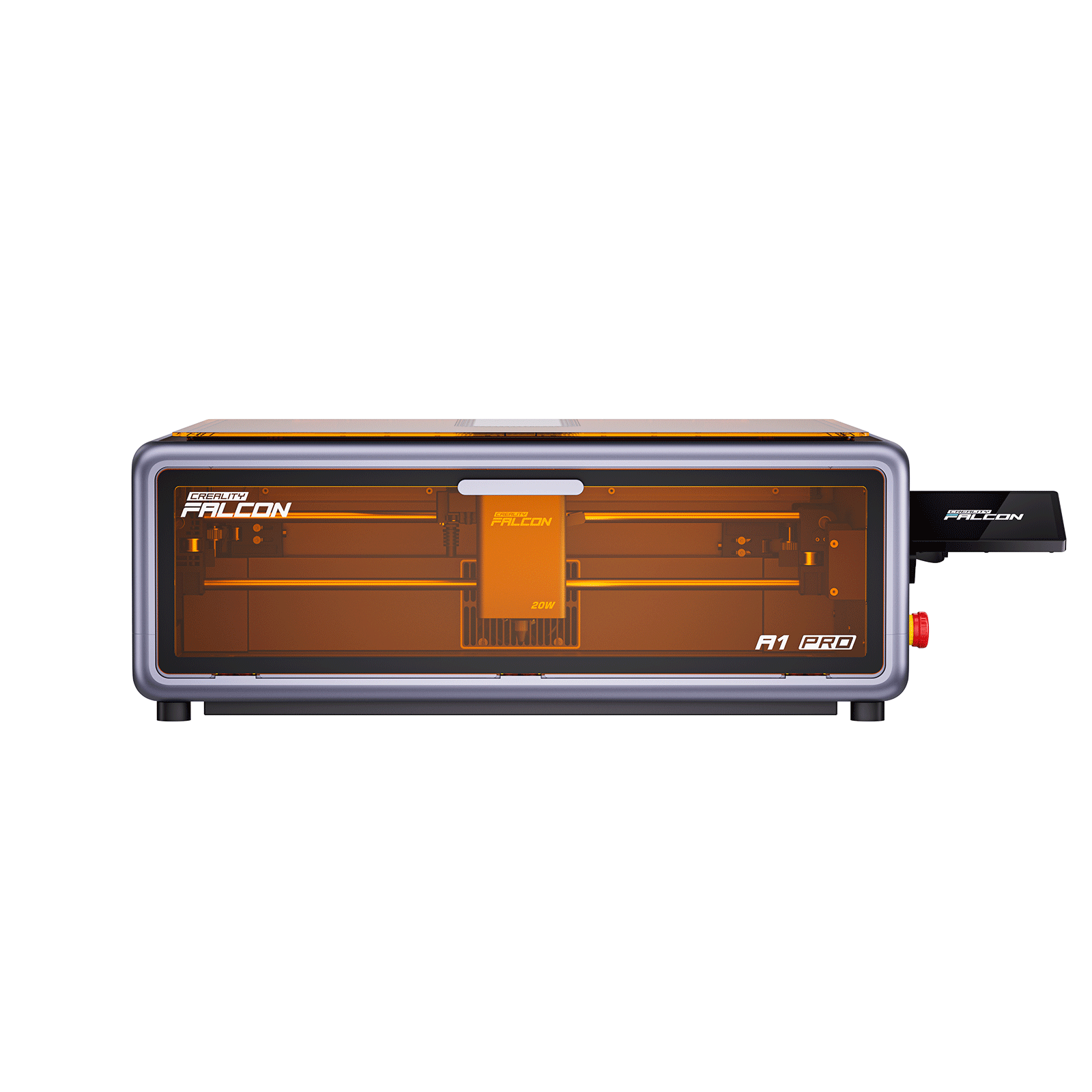
Best CO2 Laser Engraver Alternative – Creality Falcon A1 Pro
Looking for a powerful CO2 laser alternative?
The Creality Falcon A1 Pro 20W offers a compact, affordable solution with impressive capabilities, perfect for hobbyists and small businesses.

Key Features:
-
Dual Laser System: 20W diode laser for wood, acrylic, leather, paper, and more. Optional 2W infrared module for engraving on metals and glass.
-
Precision & Speed: Auto-focus, high-res camera, and CoreXY motion system for fast, detailed work (up to 600 mm/s).
-
Compact & Safe: Fully enclosed design with integrated safety features (emergency stop, flame detection).
-
User-Friendly: Works with LightBurn, Falcon Design Space, and mobile apps for easy control and monitoring.
Why It's a Great Alternative:
-
Lower Operating Costs: No need for water chillers or complex maintenance.
-
Smaller Footprint: Saves space compared to CO2 lasers, making it ideal for small studios or home offices.
-
Versatile Material Handling: Engraves a variety of materials with precision.
The Falcon A1 Pro is the ideal alternative to traditional CO2 laser engravers, offering a powerful, safe, and efficient engraving solution in a compact design.
Perfect for creative professionals and small business owners.
Safety First: Essential Practices for Operating a CO2 Laser
Safety is paramount when operating a CO2 laser engraver.
Ensure proper ventilation and a high-quality air filtration system to remove harmful fumes and particles.
Eye protection is essential—always wear laser safety glasses rated for the CO2 laser's wavelength to protect against stray reflections.
Additionally, fire safety should never be overlooked: keep appropriate fire extinguishers on hand and never leave the machine unattended during operation.
Make use of interlocks, emergency stop buttons, and other built-in safety features to ensure a safe working environment.
Maintenance and Troubleshooting for Longevity
Routine maintenance is crucial to prolonging the life of your CO2 laser engraver. Key tasks include:
- Cleaning Optics: Regularly clean mirrors and focusing lenses to maintain laser performance.
- Water Chiller Maintenance: Check coolant levels and monitor temperature to prevent overheating.
- Exhaust System Care: Clean filters to maintain air quality and prevent machine overheating.
- Component Replacements: Be mindful of when to replace parts such as the laser tube, power supply, or motion system components to avoid downtime.
Unleashing Creativity: Project Ideas and Applications
Once familiar with the CO2 laser engraver, the creative possibilities are virtually limitless.
Popular hobbyist projects include custom gifts, home décor items, personalized signage, and artistic creations from wood or acrylic.
For businesses, CO2 lasers are invaluable for product customization, rapid prototyping, small-batch manufacturing, and creating branded merchandise.
Whether you're crafting unique wedding favors or designing architectural models, a CO2 laser engraver empowers you to bring your ideas to life with precision and efficiency.
Recent News

LightBurn Test File Download Guide
This LightBurn test file guide covers why to run material tests, where to download reliable files, how to...

Best 9 40W Laser Engravers: Diode vs CO2 vs Fiber
Discover the 9 best 40W laser engravers, comparing diode vs CO2 vs Fiber models. Find the right 40W...

The 4 Best Desktop Laser Cutters for Indoor Use
Discover the top 4 desktop laser cutters for indoor use. Compare enclosed designs, ventilation features, and compact sizes...


